Wazuh SAML Authentication with Keycloak (Part 2)
How I integrated Wazuh with Keycloak using SAML, group-based access, and Wazuh RBAC mapping.
Published · Republished on Medium
How I integrated Wazuh with Keycloak using SAML, group-based access, and Wazuh RBAC mapping.

This article continues from Wazuh Ansible Series Part 1: How to Deploy Wazuh with Ansible, where I covered the repository foundation: upstream wazuh-ansible roles, local wrapper roles, inventory-driven files, and the All-in-One deployment flow.
In this part, I will focus on the next layer: integrating Wazuh authentication with Keycloak using SAML.
The goal is simple: Keycloak authenticates the user, while the Wazuh indexer and Wazuh server RBAC layers authorize what that identity can do. SSO centralizes login, but it does not remove the need for explicit least-privilege role mappings or an emergency local access path.
Version note: this article was reviewed against the current Wazuh 4.14 Keycloak integration guide. SAML endpoints and security configuration are version-sensitive, so use the guide matching your pinned Wazuh release.
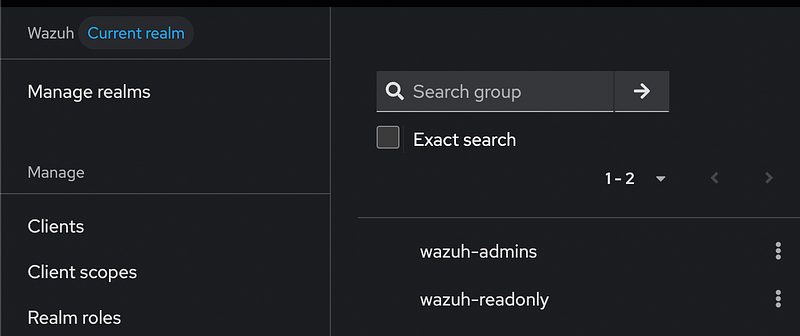
For this setup, I use two Keycloak realm roles:
config
wazuh-admins
wazuh-readonly
Users can inherit these roles through Keycloak groups, but it is the realm-role value emitted in the SAML Roles attribute that becomes the backend role in this design. The expected behavior is:
config
wazuh-admins   -> administrator access in Wazuh
wazuh-readonly -> read-only access in Wazuh
Why Keycloak and SAML?
By default, Wazuh can be accessed using local users. That works for a basic lab, but it becomes harder to manage when more users or roles are involved.
With Keycloak, user identity can be centralized. That also makes Keycloak and its signing keys part of the Wazuh authentication trust boundary: protect the administrative realm, require appropriate MFA, restrict who can map privileged roles, monitor changes, and plan key rotation.
Instead of creating users manually in Wazuh, Keycloak becomes the identity provider. Wazuh acts as the service provider.
The high-level flow looks like this:
shell
User
  -> Wazuh Dashboard
  -> Redirect to Keycloak
  -> Login with Keycloak
  -> Keycloak sends SAML response
  -> Wazuh maps the SAML backend role to permissions
  -> User gets access based on the mapped role
This gives a cleaner access model:
text
identity       -> managed in Keycloak
authentication -> handled by SAML
authorization  -> mapped in Wazuh RBAC
Target Setup
For this integration, the target components are:
config
Keycloak realm and SAML client
  -> realm roles
  -> groups that inherit those roles
  -> users assigned to groups

Wazuh indexer and dashboard
  -> trusted IdP/SP metadata
  -> SAML authentication domain
  -> indexer backend-role mapping
  -> Wazuh server RBAC mapping
The example groups are:
config
wazuh-admins
wazuh-readonly
Example users:
config
user-admin      -> wazuh-admins
user-readonly   -> wazuh-readonly
This makes the access pattern easy to understand and easy to test.
Repository Layout
The SAML files are stored under the inventory-owned file structure.
text
inventories/lab/files/wazuh/config/saml
├── config
└── metadata
Example layout:
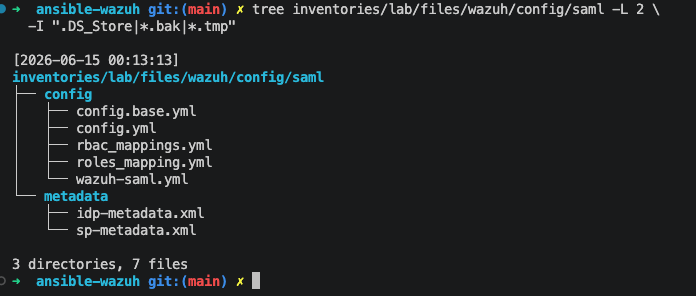
This follows the same idea from Part 1: environment-specific files should live inside the inventory.
The repository owns reviewed SAML configuration, public metadata, and RBAC mapping. The wrapper role is responsible for copying them into the correct runtime path on the Wazuh host.
The generated exchange_key, administrative credentials, private keys, and any other sensitive inputs do not belong in that directory. Generate the 64-character exchange key from a cryptographically secure source, store it in Ansible Vault or an external secret manager, use no_log: true when templating it, and apply restrictive ownership and mode on the target.
Keycloak Configuration
On the Keycloak side, I created a dedicated realm and SAML client for Wazuh.
The important objects are:
Configure keycloak
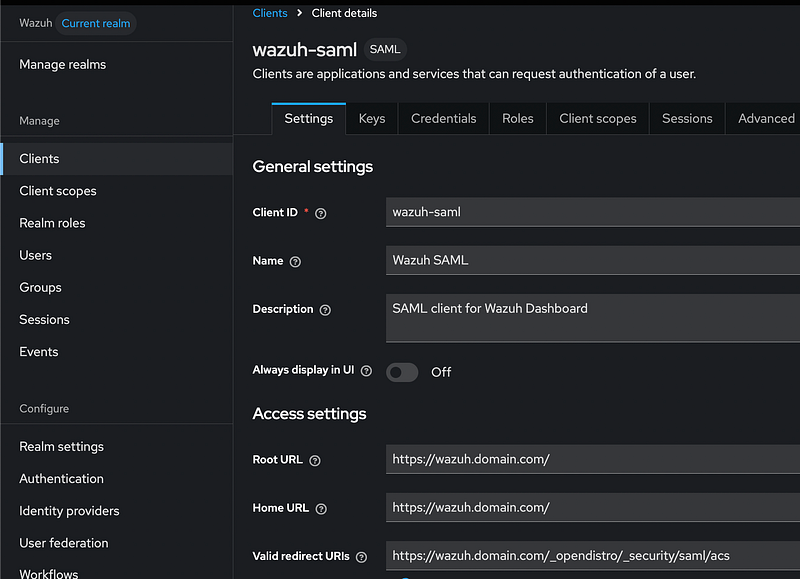
The SAML client ID is the SP Entity ID. Following the current Wazuh example, it can be a stable identifier such as:
text
wazuh-samlThe externally visible dashboard origin is separate:
text
https://wazuh.domain.comFor Keycloak configuration, use the endpoint set documented for your Wazuh release. The current official guide uses https://wazuh.domain.com/_opendistro/_security/saml/acs/idpinitiated for the IDP-initiated Assertion Consumer Service POST binding and the dashboard origin for the logout redirect. Wazuh Dashboard also allowlists /acs, /logout, and /acs/idpinitiated for its SAML flow.
The exact URL can depend on how the Wazuh Dashboard is exposed, especially if it is behind Nginx or Cloudflare.
The important rule is simple: the scheme, hostname, port, proxy headers, redirect URI, SP Entity ID, and metadata must agree with the intended flow. Use exact redirect URIs where the product permits them; a wildcard such as https://wazuh.domain.com/* is broader than the individual SAML endpoints and should not be copied without reviewing the risk.
Role Attribute Mapping
The next important part is sending only the Keycloak roles needed by Wazuh.
The current Wazuh guide creates the wazuh-admins and wazuh-readonly realm roles, assigns them through Keycloak groups, and configures a SAML Role list mapper. Configure its role attribute name as:
text
RolesThe SAML response should include the effective role values required for this client:
config
wazuh-admins
wazuh-readonly
Set Keycloak role scope mappings so the Wazuh client does not receive unrelated realm roles. A user who accidentally receives both values may inherit the union of their mapped permissions, so tests must include conflicting and removed membership—not only the happy path.
Without this mapper, authentication may work while authorization fails because Wazuh does not receive the expected backend role.
Wazuh SAML Configuration
On the Wazuh side, the SAML configuration defines how Wazuh connects to Keycloak.
The main configuration includes:
config
- IdP metadata
- SP entity ID
- Kibana/Wazuh Dashboard URL
- exchange key
- roles key
Example concept:
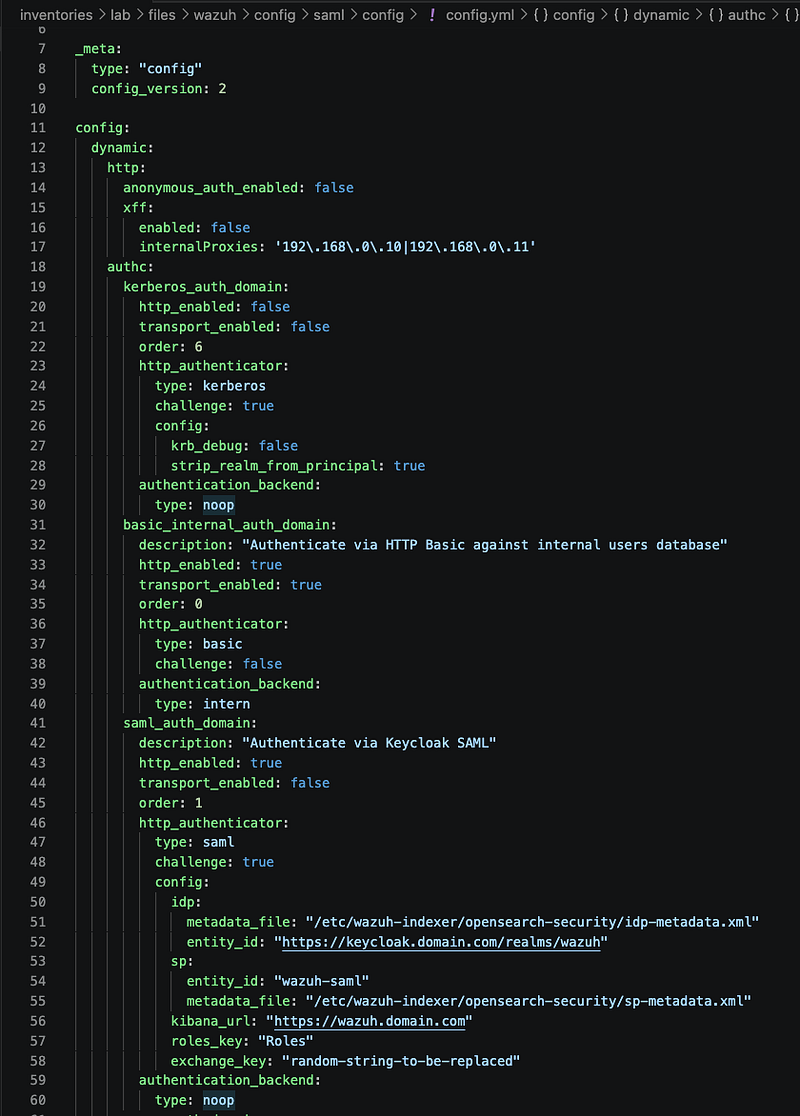
This tells Wazuh to read the backend-role values from the Roles attribute in the SAML response.
RBAC Mapping
After authentication works, the next step is authorization.
This is where Wazuh RBAC mapping is used.
The idea is:
text
wazuh-admins   -> all_access / administrator role
wazuh-readonly -> read-only role
Example mapping concept:
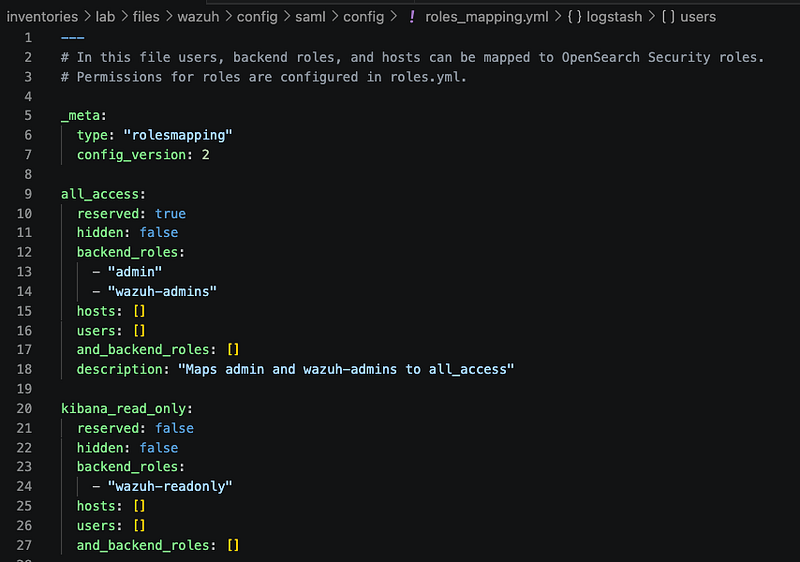
The exact role names may depend on the Wazuh and OpenSearch Security role configuration, but the pattern stays the same:
text
Keycloak group -> realm role -> SAML Roles attribute
               -> indexer backend role and Wazuh server RBAC mapping
This is the core of the integration.
Ansible Flow
The Ansible role for SAML integration should keep the flow predictable.
Example flow:
text
0. Back up the indexer security configuration
1. Copy IdP metadata
2. Render SAML security config from secret-backed variables
3. Copy RBAC mapping
4. Validate and apply only the intended security configuration types
5. Restart Wazuh Dashboard
6. Run positive, negative, and revocation tests
This can be wrapped inside a local role, for example:
bash
roles/wazuh_saml_keycloakThe playbook can stay simple:
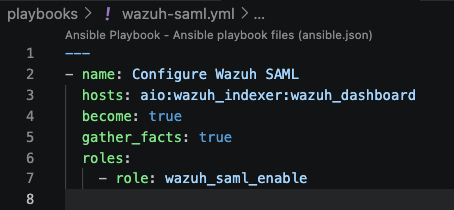
The role handles file placement and security configuration updates. Do not blindly replace the entire OpenSearch Security directory: preserve unrelated users, roles, action groups, and tenants. Back it up using the supported indexer security tooling before applying a change, inspect the generated diff, and make the task fail if the security update command does not report success.
The playbook only describes the intent.
Testing the Login
After the configuration is applied, the test is straightforward.
Open the Wazuh Dashboard URL in a fresh private browser session:
bash
https://wazuh.domain.comThe dashboard should redirect to Keycloak.
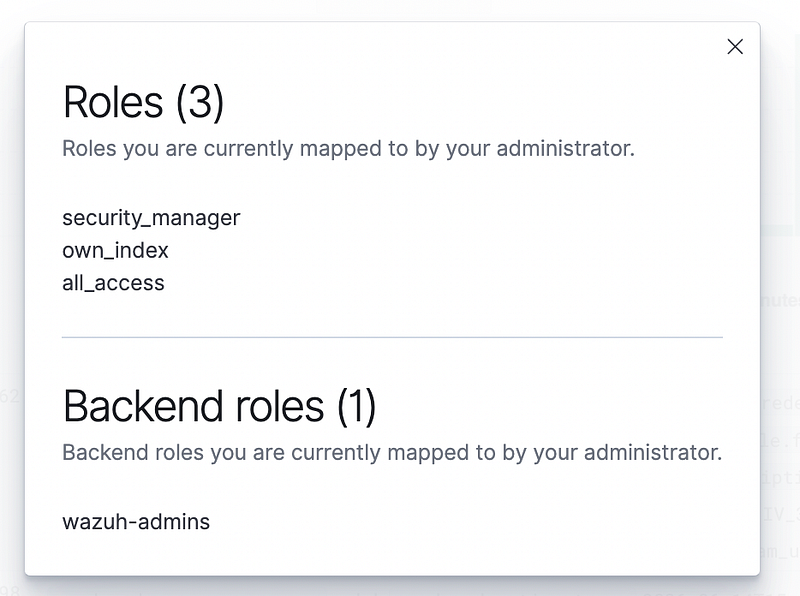
Log in as an admin test user:
user-admin
Expected result:
config
user is authenticated by Keycloak
user receives the wazuh-admins realm role
user receives admin access in Wazuh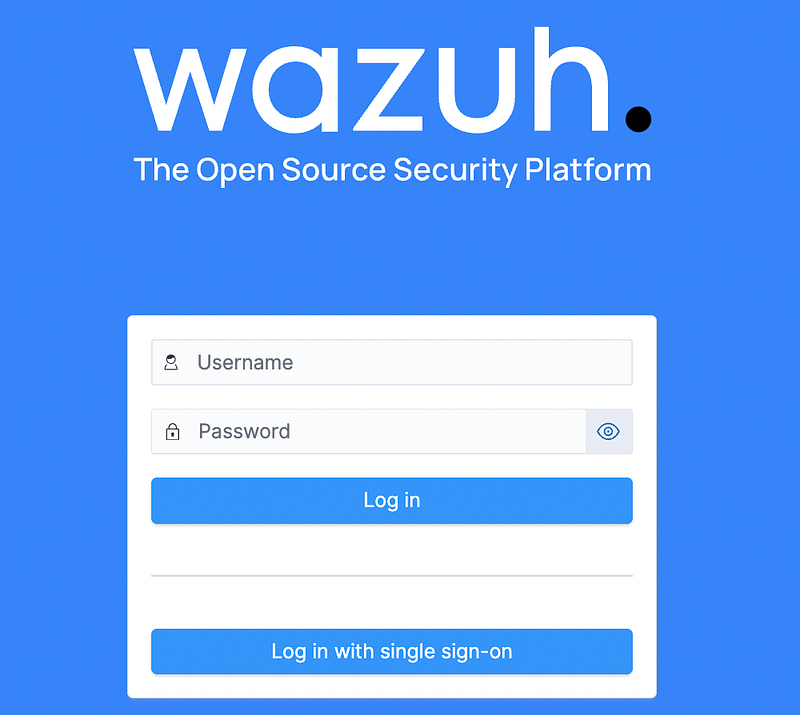
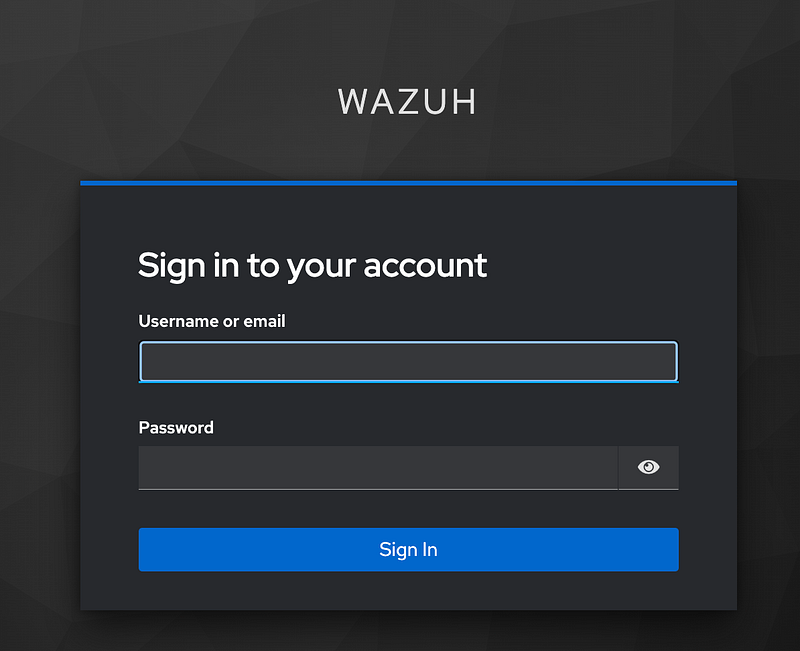
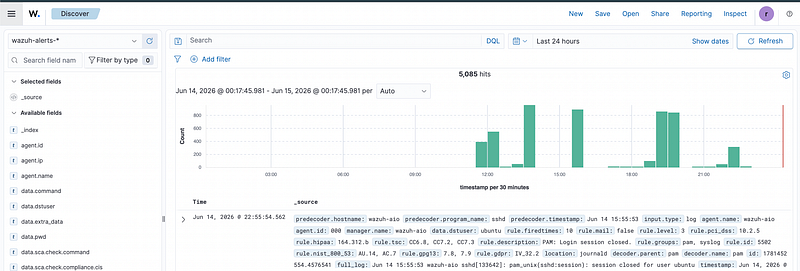
Then test with a read-only test user:
user-1
Expected result:
config
user is authenticated by Keycloak
user receives the wazuh-readonly realm role
user receives read-only access in Wazuh
Testing both users is necessary, but it is not enough. Verify that read-only cannot modify agents, rules, users, roles, or index data; a user with neither role is denied; a disabled user cannot start a new session; removing a role takes effect after the relevant Keycloak and Wazuh sessions expire or are revoked; logout terminates the intended session; and the local break-glass account still works through a restricted management path.
Common Issues
A few issues are common during SAML setup.
- Redirect or ACS mismatch: compare the browser-visible URL, Keycloak client endpoints, proxy configuration, and Wazuh
kibana_urlvalue. - Signature or metadata failure: verify the assertion signature, trusted IdP metadata, certificate validity, and clock synchronization. Do not disable verification to make login pass.
- Login succeeds without permissions: inspect a test assertion carefully for the
Rolesattribute without copying credentials or assertions into tickets; confirmroles_keyand both authorization mappings. - Unexpected admin access: inspect all effective Keycloak roles, nested group membership, indexer backend-role mappings, and Wazuh server role mappings.
- Redirect loop behind a proxy: verify the forwarded scheme and host, the dashboard public URL, cookies, and TLS termination.
- Logout or revocation appears delayed: distinguish the Keycloak session, Wazuh Dashboard session, and already-issued SAML assertion lifetime.
SAML logs and assertions contain identity data. Limit debug logging to the troubleshooting window, redact artifacts before sharing them, and return logging to its normal level after the incident.
Safe Rollout and Recovery
Apply SAML while basic authentication remains available to a tightly restricted break-glass administrator. Test in staging first, back up the indexer security configuration and dashboard files, and keep the previous rendered configuration ready.
If SAML causes a lockout, use the restricted local path to restore the previous indexer and dashboard configuration, restart only the affected service, and verify indexer health plus local login before trying again. Do not make the identity provider the only recovery mechanism for a failure in that same identity provider.
Integrating Wazuh with Keycloak using SAML makes access management cleaner.
Keycloak handles identity and login. Wazuh handles authorization through RBAC mapping. In this design, groups grant realm roles and those role values become the bridge between both systems.
The most important part is keeping the flow consistent:
text
Keycloak group
  -> Keycloak realm role
  -> SAML Roles attribute
  -> Wazuh backend role
  -> Wazuh permission
By managing the SAML files and RBAC mapping through Ansible, the integration becomes repeatable instead of being a one-time manual setup.
In the next part, I will cover how I manage Wazuh manager configuration with Ansible, including custom ossec.conf, inventory-owned config files, and safe service restart flow.